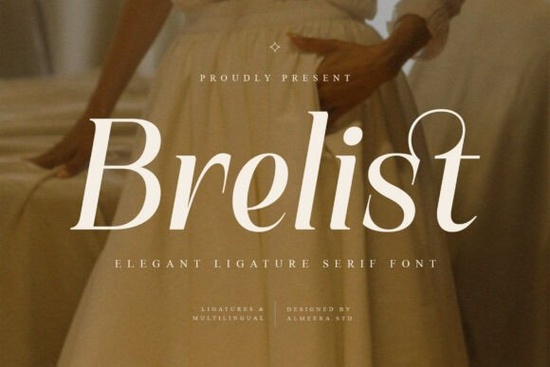
If you're looking for a serif font that feels both refined and quietly expressive something that works as well on a wedding invitation as it does in a boutique brand’s website header Brelist Font is worth your attention. It’s not overly ornate, but it’s never plain either. With graceful curves, balanced proportions, and thoughtfully designed ligatures, Brelist sits comfortably between classic elegance and modern clarity. It’s the kind of typeface that helps your words look intentional not just readable, but considered.
What makes Brelist different from other elegant serif fonts?
Many serif fonts lean heavily into either tradition or minimalism. Brelist bridges the two. Its high-contrast letterforms give it presence at large sizes, while its subtle stroke modulation keeps it legible and warm in shorter text blocks. Unlike some display serifs that sacrifice versatility for flair, Brelist includes full multilingual support (including extended Latin characters), punctuation, numerals, and a set of contextual ligatures that activate automatically in compatible design apps.
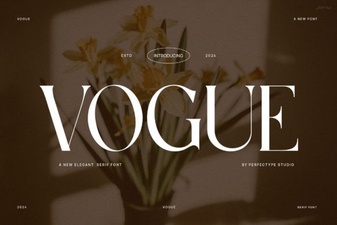
You’ll notice how smoothly “fi”, “fl”, “ff”, and “th” connect not as gimmicks, but as natural extensions of the letterforms. These aren’t decorative extras; they’re part of the rhythm. That’s why designers who’ve used Healing Font or Vogue Font often reach for Brelist when they need something with similar sophistication but more typographic nuance.
Where does Brelist work best?
It shines where impact and tone matter most:
- Branding & logos especially for lifestyle, wellness, or luxury-leaning small businesses
- Editorial layouts think magazine covers, feature headers, or chapter titles
- Packaging & print materials soap labels, artisan tea boxes, greeting cards
- Social media graphics quote posts, product launches, seasonal announcements
- Wedding stationery save-the-dates, menus, signage (paired with a clean sans for body text)
Because it’s available in both OTF and TTF formats, it installs easily across platforms whether you're using Adobe Creative Cloud, Affinity apps, Canva (with upload), or even Cricut Design Space. No extra plugins or converters needed.
How does it compare to similar elegant serif fonts?
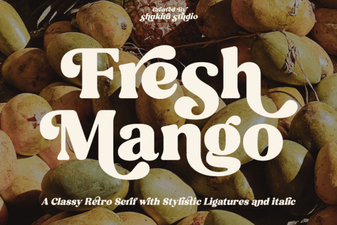
If you already own Marquis, you’ll appreciate Brelist’s softer contrast and more organic flow. Where Marquis leans structured and architectural, Brelist breathes a little more its terminals taper gently, and its lowercase ‘e’ and ‘a’ have a quiet warmth. And compared to Fresh Mango, which has playful energy and rounded serifs, Brelist holds a steadier, more timeless posture ideal when you want elegance without whimsy.
It’s also more versatile than many single-purpose display serifs. You can use it confidently at 48pt for a logo lockup, then scale it down to 24pt for an Instagram story headline and it still reads cleanly. That flexibility matters if you’re designing across multiple touchpoints, like a POD seller creating coordinated mugs, tote bags, and digital ads.
Practical tips for getting the most out of Brelist
Here’s what real users tell us works well:
- Turn on OpenType ligatures in your design app especially for headlines. In Illustrator or InDesign, go to Type > Glyphs or OpenType panel > Standard Ligatures.
- Pair it with a neutral sans-serif (like Montserrat, Inter, or even your system’s default) for body text. The contrast keeps hierarchy clear without competing.
- Use the uppercase forms sparingly for monograms or short acronyms since the lowercase + ligature combo is where Brelist really sings.
- Test spacing: Brelist benefits from slightly increased tracking in all-caps settings. Don’t be afraid to loosen it by 20–40 units in design software.
If you’re building a visual identity that balances craftsmanship with clarity or simply want a serif that feels personal without being fussy Brelist fits naturally into your toolkit. It’s not flashy, but it’s memorable. And unlike fonts that shout, Brelist invites closer reading.
Before you download: Check that your project needs multilingual support if you’re designing for English-only audiences, that feature may not matter. But if you serve international customers or plan to expand, Brelist’s extended character set saves time later. Also, remember that ligatures won’t appear in basic text editors (like Notes or Word without OpenType enabled), so always preview in your final design environment.
Try It Free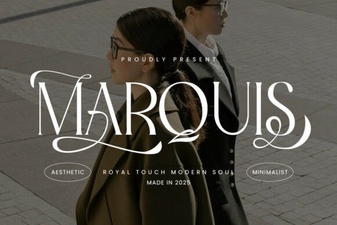 Marquis Serif: a Modern Font for Elegant Design Projects
 The Healing Font: Designing Typography for Wellness
 Fresh Mango Font: Creative Design Inspiration
 The Art of Typography: Exploring the Vogue Font
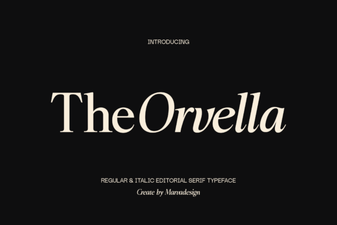 Orvella Font: a Bold Design for Creative Projects
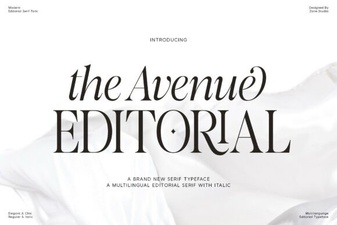 Design Projects with the Avenue Editorial Font