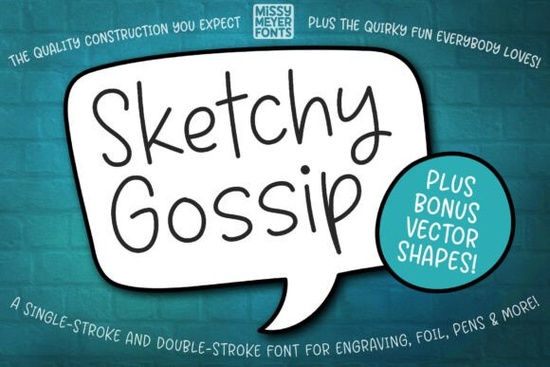
If you're looking for a relaxed, hand-drawn font that works beautifully with sketch pens, engraving tools, or infusible ink pens, Sketchy Gossip Font is worth your attention. It’s not a standard typing font it’s built specifically for single-line drawing devices like Cricut pens, Glowforge scoring, Brother ScanNCut styluses, and foil quill machines. That means it draws cleanly without filling in letters, making it ideal for projects where precision and flow matter more than bold print.
What makes Sketchy Gossip different from other script fonts?
Unlike traditional script fonts designed for digital documents or printed text, Sketchy Gossip was made for motion not static display. Its rounded, casual strokes mimic real handwriting, but with consistent spacing and weight so your cuts, engravings, or sketches stay legible and charming. It’s based on the popular Juicy Gossip outline style, but simplified into a single-line version that loads smoothly across most design software.
The package includes both single-stroke and double-stroke versions useful if your machine supports dual-pass drawing (like some Glowforge or Silhouette setups) or if you want subtle line variation for visual interest. You’ll also get an SVG bonus pack with hand-drawn banners, speech bubbles, ovals, and decorative shapes all vector-based and ready to layer with your text.
Will it work with my cutting or engraving machine?
Yes but with a few practical notes depending on your tool:
- Cricut Design Space: You might see an error when clicking “Make It.” Don’t worry the included PDF guide walks you through a simple workaround using text-to-shape conversion. It takes under two minutes once you know the steps.
- Brother Canvas Workspace: The typeable font files won’t preview correctly due to known software limits. Instead, use the included SVG files they contain the full character set and scale perfectly.
- Glowforge, Silhouette Studio, Sure Cuts A Lot, Inkscape: These handle the TTF and OTF versions well for scoring or drawing. Just make sure your tool path is set to “draw” or “score,” not “cut” or “fill.”
Because it’s optimized for drawing tools not printers you won’t find kerning pairs or OpenType features like swashes or alternates. That’s intentional: it keeps file sizes light and behavior predictable across devices.
What kinds of projects suit Sketchy Gossip best?
This font shines where personality and tactility matter: handwritten-style greeting cards, engraved wooden coasters, personalized leather bookmarks, or foil-embossed stationery. It’s especially popular among small-batch makers who sell custom jewelry tags, baby milestone blankets, or wedding favor labels anything where a soft, approachable voice feels right.
You’ll often see it paired with clean sans-serif accents or used alone with one of the included SVG banners for instant visual rhythm. It’s less formal than Wedding Dream Font, more relaxed than Love Twist Duo, and lighter in feel than Farmhouse Font. If you love the vibe of Sunshine Olivia but want something even more minimal and line-based, this fits neatly in that sweet spot.
For seasonal work, it complements holiday themes without feeling overly festive think cozy coffee mugs, handmade ornaments, or chalkboard-style menus. It’s not as bouncy as Jolly Christmas Script, so it transitions easily from fall to spring without needing a redesign.
A few things to keep in mind before downloading
- This isn’t a keyboard-friendly font for everyday typing or Canva social posts it’s meant for physical output via drawing tools.
- Letters connect naturally, but there are no automatic ligatures. You’ll adjust spacing manually if needed.
- The double-stroke version adds gentle width variation great for adding depth to engraved wood or scored paper, but may require slight adjustments in tighter layouts.
- All bonus SVGs are fully editable in vector editors, so you can recolor, resize, or combine them freely.
If you’ve used other Creative Fabrica handwriting fonts like Juicy Gossip before, you’ll recognize the friendly energy but Sketchy Gossip gives you more control over line weight and smoother device compatibility out of the box.
Before you start your next project: Check your machine’s manual for “single-line font” or “drawing mode” settings, open the included PDF guide if you’re using Cricut, and try testing one word first on scrap material. That quick test saves time later especially when working with infusible ink or delicate engraving surfaces.
Download Now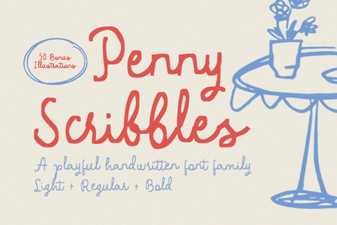 Penny Scribbles Font for Playful Designs
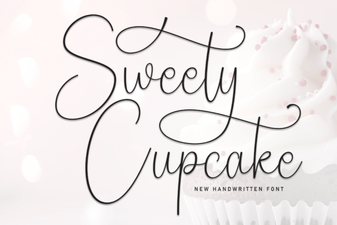 Sweety Cupcake Font: Sweet Ideas for Your Designs
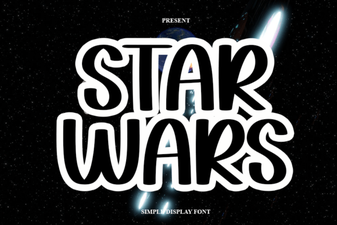 Unlock the Galactic Power of Star Wars Fonts
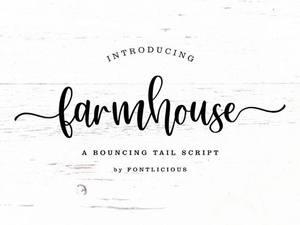 Perfect Farmhouse Fonts for Your Creative Projects
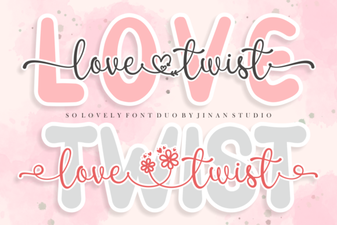 Love Twist Duo Font Pairings & Projects
 Sunshine Olivia Font for Creative Projects