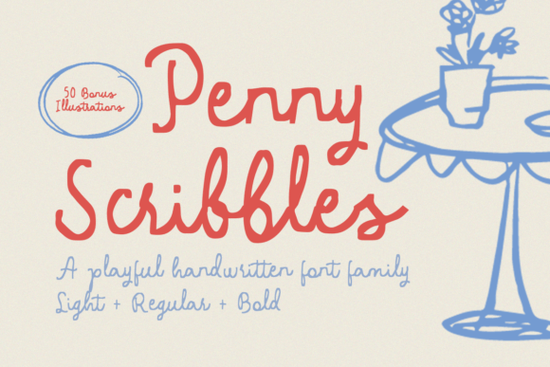
If you're looking for a handwritten font that feels authentically playful not overly polished or stiff Penny Scribbles Font is worth your attention. It’s designed to mimic the joyful imperfection of a child’s handwriting: slightly uneven baselines, varied stroke thickness, and a gentle, bouncy rhythm. But unlike many “kiddie” fonts, it avoids looking dated or cutesy in an unbalanced way. Instead, it lands somewhere between nostalgic and contemporary ideal if you’re designing for bakeries, baby showers, classroom materials, or handmade product labels.
What makes Penny Scribbles different from other script fonts?
Most handwritten fonts fall into one of two camps: ultra-refined calligraphy or rough sketch-style lettering. Penny Scribbles sits comfortably in the middle. Its letters have personality without being hard to read, and its irregularities feel intentional not like a glitch or oversight. You’ll notice subtle quirks: a lowercase “a” with a tilted bowl, a “g” with a looping tail that swings just a little too far left, and capitals that vary in height for visual interest.
This kind of thoughtful inconsistency helps designs feel human-made, not template-driven. That’s especially helpful if you’re a small business owner creating your own social media graphics, or a POD seller building themed bundles (think “rainbow cupcakes” or “first day of school” collections). It also pairs well with hand-drawn elements luckily, Penny Scribbles comes with 50 matching illustrations, all provided in SVG and PNG formats. You can layer them behind text, use them as bullet points, or drop them into greeting cards and stickers without losing clarity.
How do designers actually use it?
We’ve seen real users apply Penny Scribbles in ways that go beyond obvious “kids’ stuff.” For example:
- A local café uses it for their seasonal menu board paired with watercolor textures and simple line art to signal warmth and approachability.
- A teacher prints recipe cards for a “bake-and-learn” unit, using the font for ingredient lists and the included illustrations for measuring spoons and apples.
- A craft supply shop adds it to printable packaging tags for handmade soaps and bath bombs, where the slight messiness reinforces the “hand-poured,” “small-batch” message.
It’s not meant for long paragraphs or formal documents but that’s fine. Good typography knows its role. Think of it as your go-to for short, expressive moments: headings, quotes, labels, and titles where tone matters more than density.
How does it compare to similar fonts on Creative Fabrica?
If you already own or have tried Sketchy Gossip, you’ll notice Penny Scribbles is less angular and more rounded softer in contrast and friendlier at smaller sizes. Compared to Sunshine Olivia, it trades elegance for energy; Olivia flows smoothly, while Penny skips and pauses. And though both Sweety Cupcake and Star Wars Font lean into strong themes (dessert and fandom, respectively), Penny Scribbles stays broadly usable across categories making it a flexible addition to your library.
For reference, you can see how others are using the font on Creative Fabrica: Penny Scribbles Font.
Practical tips before you download
• Check your software compatibility first Penny Scribbles is a standard OTF/TTF font, so it works in Canva, Cricut Design Space, Silhouette Studio, Adobe apps, and most desktop editors.
• Use the SVG illustrations for cut files (like vinyl or paper cuts) and PNGs for digital overlays or web use.
• Pair it with clean sans-serifs (like Montserrat or Poppins) for contrast avoid stacking it with other handwritten fonts unless you’re aiming for deliberate chaos.
• Test legibility at your intended size: it shines at 24pt and up, but may lose charm below 16pt depending on background contrast.
If you’re building a collection of expressive script fonts and want one that brings lightness without sacrificing usability Penny Scribbles fits naturally alongside workhorse fonts like Sketchy Gossip or Sweety Cupcake. It’s not flashy, but it’s reliable in the way good tools are: quiet, consistent, and ready when you need a little whimsy.
Before you start designing: Open your design app, install the font, then try typing “Fresh Baked Today” or “Little Hands, Big Ideas” two phrases that let the font’s character shine right away. Then browse the included illustrations folder and drag one onto your canvas. See how quickly a simple layout starts feeling personal.
Explore Design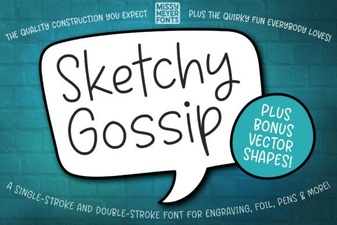 Sketchy Gossip Font for Creative Projects
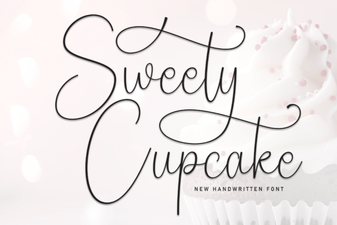 Sweety Cupcake Font: Sweet Ideas for Your Designs
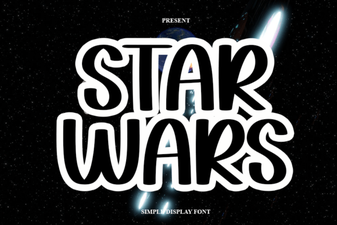 Unlock the Galactic Power of Star Wars Fonts
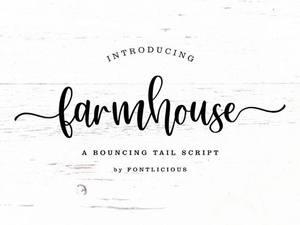 Perfect Farmhouse Fonts for Your Creative Projects
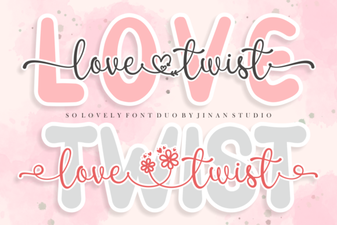 Love Twist Duo Font Pairings & Projects
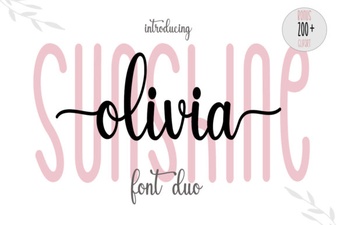 Sunshine Olivia Font for Creative Projects